How to use Secure Chats
Secure Chats is a privacy-first messenger. No phone number, no email, no personal data — just you, a nickname, and your conversations. Here's everything you need to get started.
What you'll learn
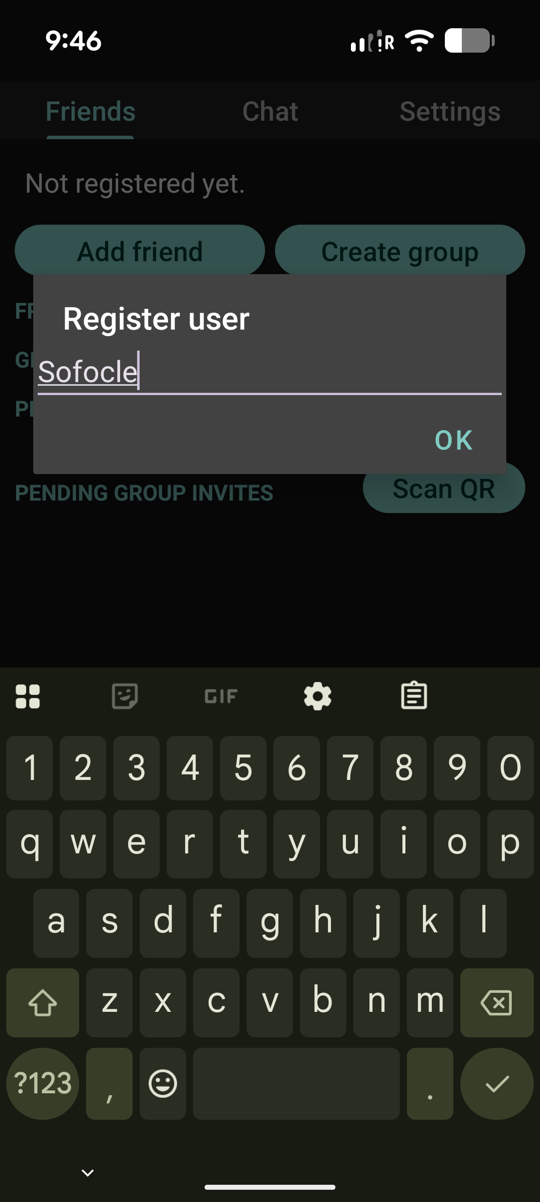
Pick a nickname
The first time you open Secure Chats it asks for a nickname. That's it — no phone number, no email, no birthday. Your nickname stays on your phone; your friends only see it later, tucked inside the encrypted messages you exchange.
Behind that single tap, secchats.com hands back a unique, randomly generated ID. Think of it as your personal address inside the app — you'll share it with friends so they can find you.
Registration is a single call to
POST /register. The
server returns a random hex userId and an
authToken that every later request carries.
No personal data is sent — not even the nickname (which only travels later, embedded inside encrypted messages, never as a standalone field the server can index).
Invite a friend
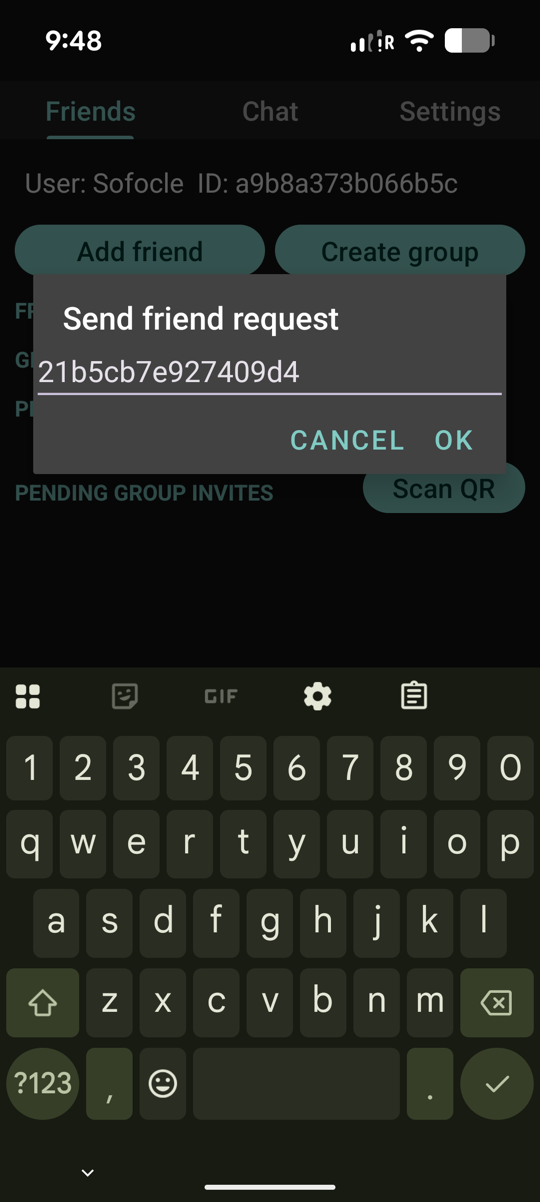
Ask your friend for their Secure Chats ID, tap Add friend, and paste it in. The app sends them an invite.
Behind the scenes your phone and theirs are starting to set up a shared secret — a private key that only the two of you will ever know.
Sending the invite calls
POST /connect, which
ships your half of an Elliptic-Curve Diffie–Hellman (ECDH) key
exchange to your friend. Only the public value crosses the wire.
When your friend accepts, their app replies via
POST /connect2 with
the matching public value. Each side combines its own private
scalar with the other's public point to derive the same shared
secret — the server never sees it.
When your friend accepts
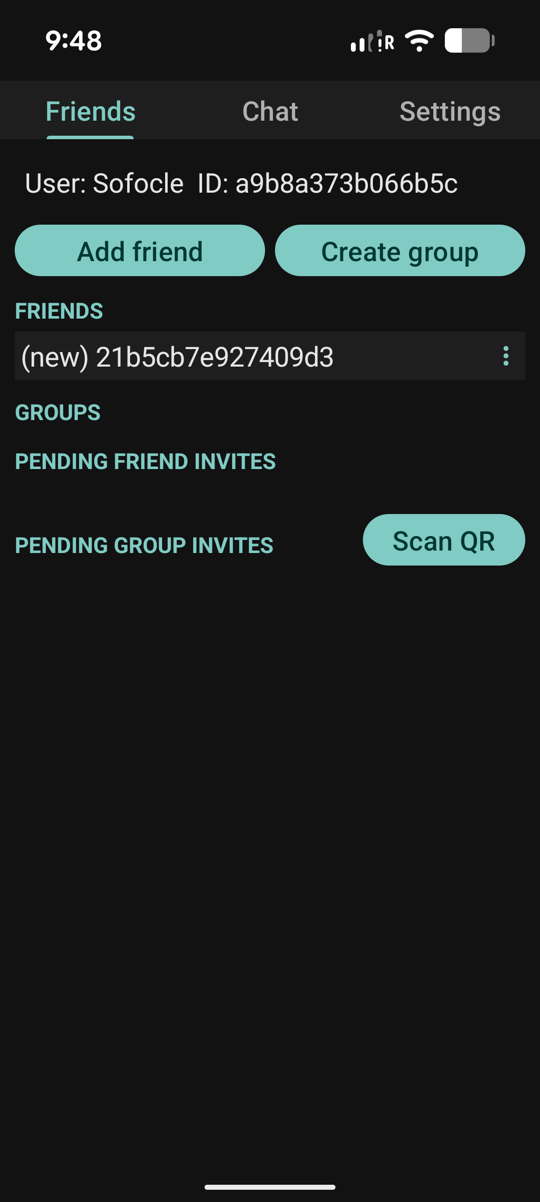
As soon as your friend taps Accept, their name shows up in your Friends list and the shared secret is locked in on both phones.
From this moment on, every message you send them is scrambled with that secret before it leaves your device.
Acceptance arrives via the polling endpoint
POST /receive, which
the app calls periodically to pick up pending friend requests,
friend responses, group invites, and direct messages since the
last poll's timestamp.
The FriendResponse object in the reply contains the
responder's ECDH public value — the last piece your phone needs to
finish the handshake started in Step 2.
Chat one-on-one
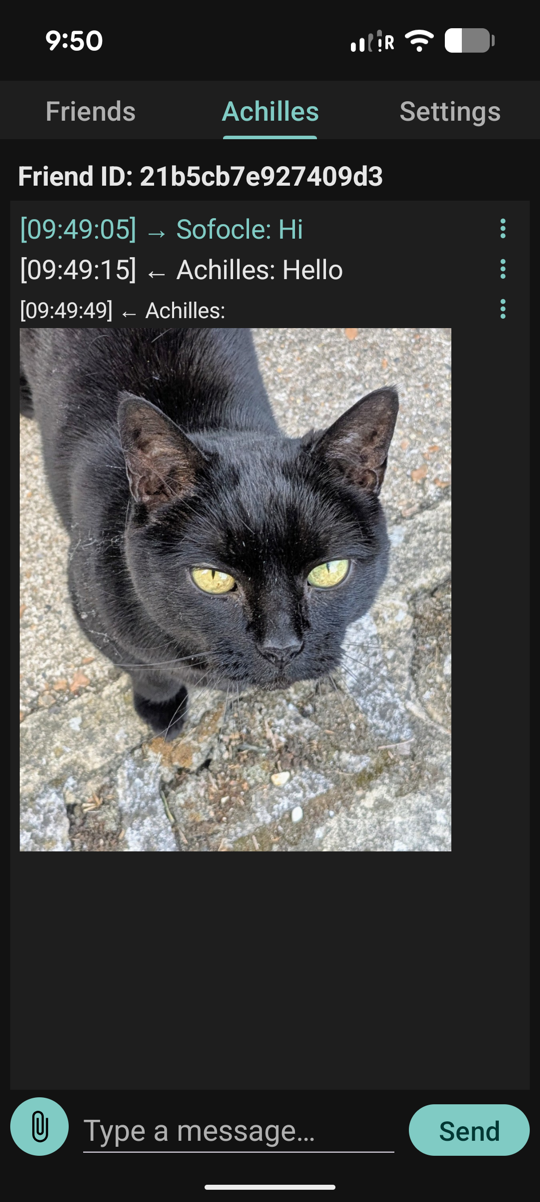
Tap your friend's name to open the chat. Type a message or send a photo — same as any other messenger. The difference is that only the two of you can read it.
Each message — text or image — is encrypted with AES-256 (a
battle-tested symmetric cipher) using the shared secret derived in
Step 2, then handed to
POST /postmsg.
Only the ciphertext travels.
Incoming messages come back through
POST /receive as
SendMessage objects whose encContent
field your phone decrypts locally. The server stores and forwards
but cannot read.
Create a group
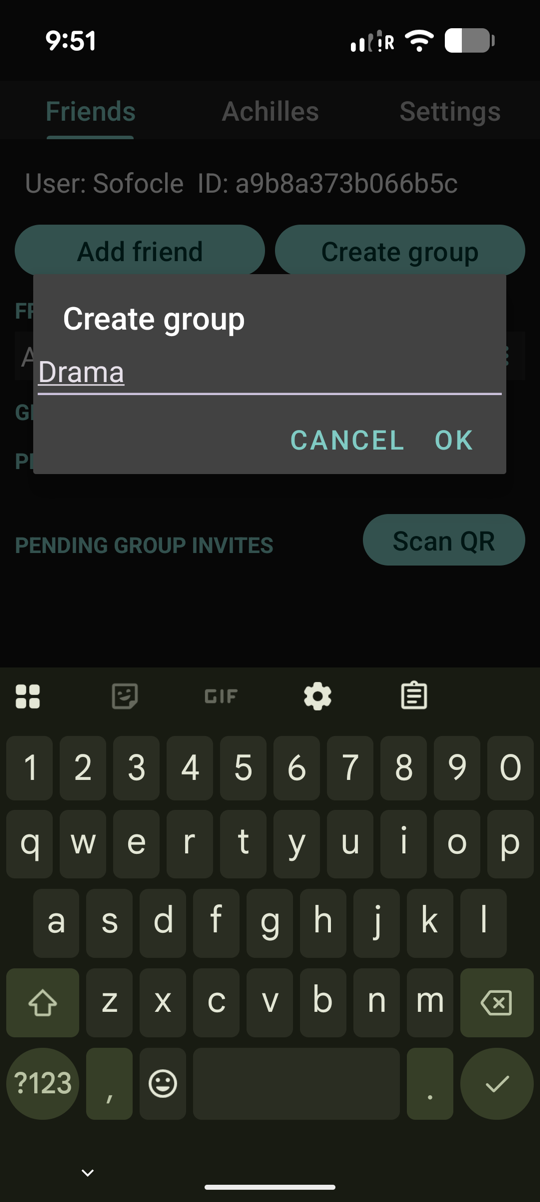
Groups work the same way as friends. Create one, give it a name, then invite friends from your list. Each group gets its own private cryptographic key — a fresh secret just for that conversation.
When a friend joins, the group key is delivered to them through the secure one-on-one channel you already set up, so it never travels in the clear.
Creating the group calls
POST /register2, which
only allocates a random groupId on the server. The
group's AES-256 key is generated on your phone — the server never
sees it.
Each invite is sent via
POST /groupinv, with
the group key encrypted under the per-friend ECDH secret from
Step 2 so only the invitee can unwrap it.
Chat in a group
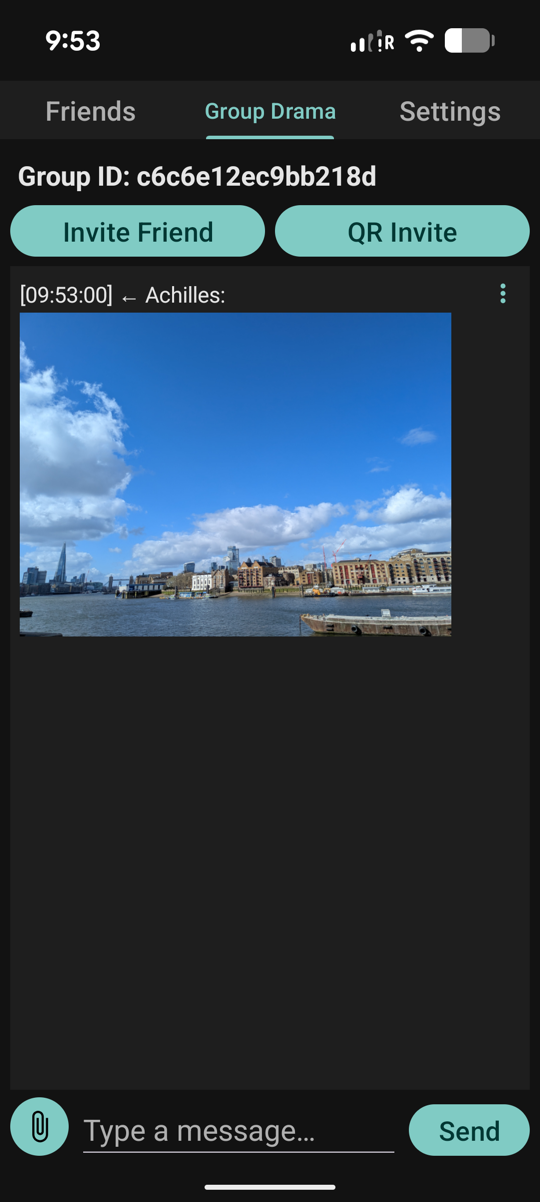
Open the group and start chatting — text and images flow to every member, all end-to-end encrypted with the group key.
Only people you invited can read the conversation. The server, your network provider, and anyone else watching the wire just see scrambled bytes.
Outgoing group messages are encrypted with the group's AES-256 key
and sent via
POST /postgroup.
To fetch new traffic across every group you belong to in one round
trip, the app uses
POST /pollgroups;
for a single group it can use
POST /pollgroup.
Decryption happens locally — the server can't tell a "hi" from
a "happy birthday".
Add a friend face-to-face
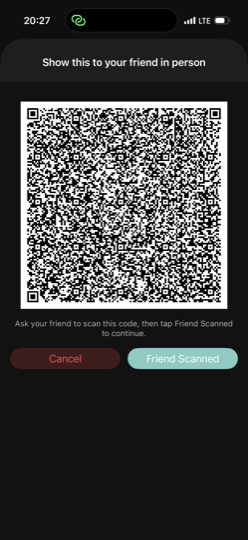
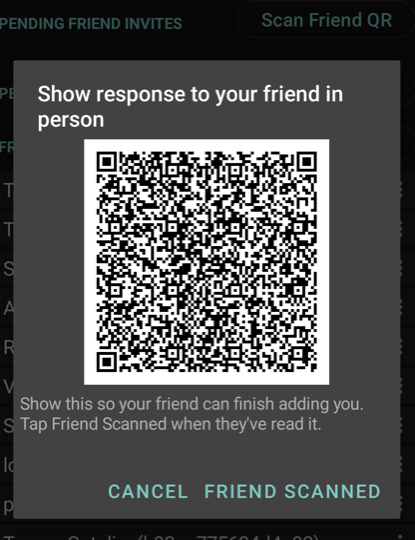
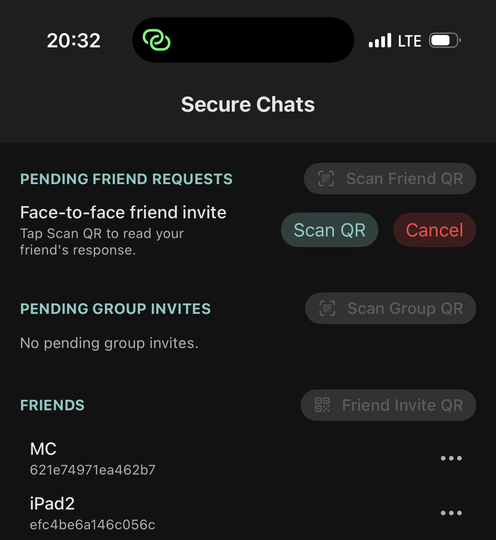
Prefer not to trust the server even to relay the first handshake? Sit next to your friend and add them with the QR-based flow. The whole exchange takes six taps between two phones — Alice's and Bob's — and the derived key never crosses the internet.
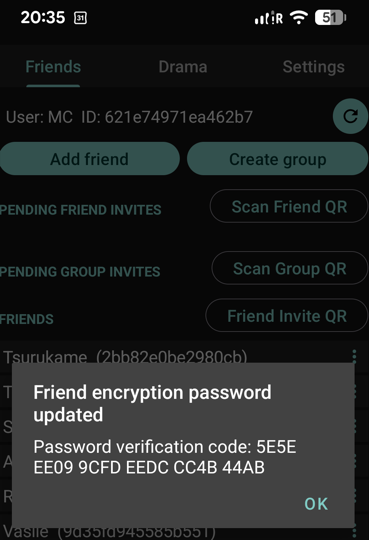
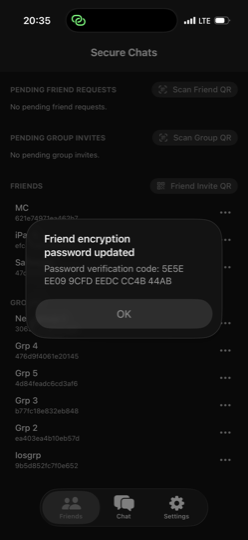
Under the hood it's a plain Diffie-Hellman handshake, but delivered over two cameras instead of the server. Each phone displays its public share as a QR, the other phone scans it, and both sides compute the same shared secret locally. At the end, both phones show the same short verification code so you can see that the same password was generated.
Rescanning a fresh pair of QRs with the same friend later rotates the key without deleting the chat — a handy escape hatch if you ever suspect a device was compromised.
The QR payloads are the same
FriendRequest and
FriendResponse
objects the network path uses — carrying DH public parameters,
never the derived secret. But
/connect and
/connect2
are never called: the exchange happens entirely through the
two cameras.
Auth tokens are stripped from the QR payload before encoding, so a bystander glancing over your shoulder can't hijack your account with a long-lens photo. The verification code shown at the end is the first 96 bits of SHA-256 over the shared key, rendered as 24 hex digits.
Or share a group key in person
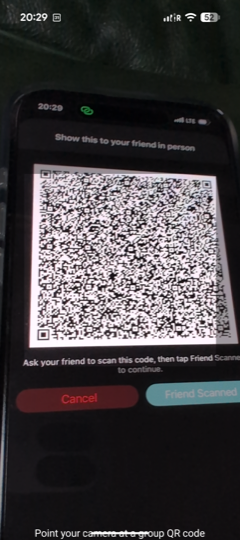
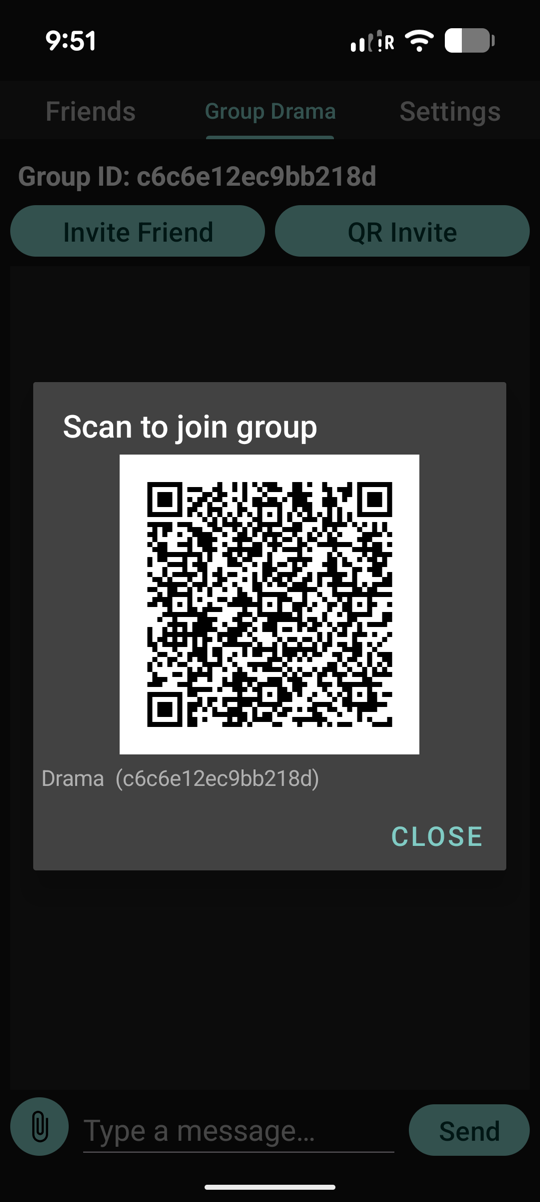
Same idea for groups. Meet face-to-face, create a new group, and share a randomly generated key by scanning a one-time QR code on each other's phones.
Nothing about the key ever touches the internet. From that point on, every message in the group is locked with a secret that only the people who were in the room with you can read.
There is no API for this step — the QR payload is a randomly
generated AES-256 key encoded locally on one phone and decoded by
the camera on the other. No
/connect,
no /groupinv,
no key material on the wire.
Once each phone has the key, messages flow through
POST /postgroup and
POST /pollgroup like
any other group — but the server only ever met the encrypted
traffic, never the secret behind it.
That's it — you're ready to go. Questions? Read the open API or browse the blog for more.